Microsoft Excel is a powerful spreadsheet program that is widely used for tasks involving data analysis, calculations, reporting, and more. Here are some basic concepts and features to get you started with Excel:
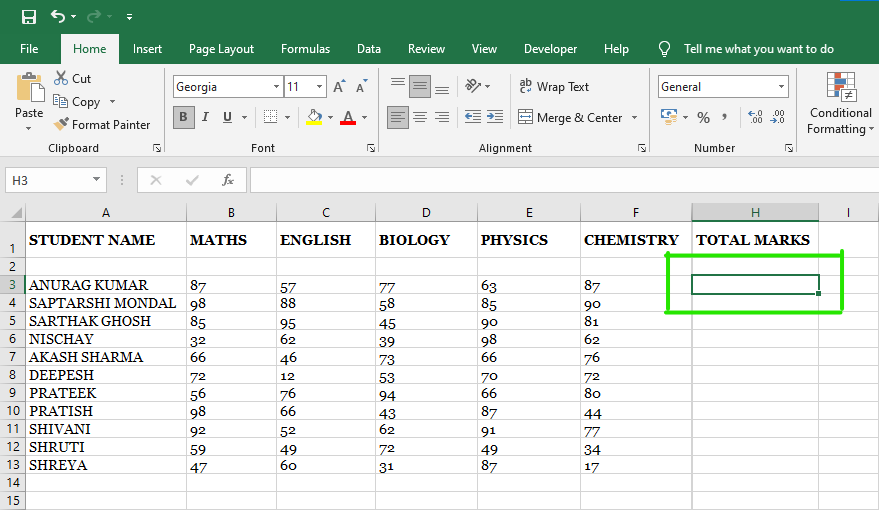
Workbooks and Worksheets:
Workbook: A workbook is the main Excel file that contains one or more worksheets.
Worksheet: A worksheet is a grid of cells where you can enter and manipulate data. A workbook can contain multiple worksheets.
Cells:
Cells are the individual boxes in a worksheet, identified by their column letter and row number (e.g., A1, B2).
You can enter text, numbers, formulas, and functions into cells.
Entering Data:
To enter data, simply click on a cell and start typing. Press Enter to move to the next cell in the same column or use the arrow keys to navigate.
Formulas:
Formulas allow you to perform calculations on data in Excel.
They start with an equal sign (=) followed by mathematical operators (e.g., +, -, *, /) and cell references or values (e.g., =A1+B1).
Excel automatically calculates the result.
Functions:
Functions are predefined formulas that perform specific calculations or operations.
Functions are entered with a syntax like =FUNCTION_NAME(arguments) (e.g., =SUM(A1:A5) calculates the sum of values in cells A1 through A5).
Cell References:
There are three types of cell references: relative, absolute, and mixed. They determine how a formula behaves when copied to other cells.
Relative references adjust when you copy a formula (e.g., A1 becomes B1 if you copy it to the right).
Absolute references remain fixed (e.g., $A$1) and do not change when you copy the formula.
Mixed references (e.g., $A1 or A$1) partially adjust.
Formatting:
Excel offers a wide range of formatting options for cells, including font style, size, color, cell borders, fill colors, and more.
You can use the formatting toolbar or the Format Cells dialog box (Ctrl + 1) to apply formatting.
Charts and Graphs:
Excel can create various types of charts and graphs to help visualize your data. Common chart types include bar charts, line charts, and pie charts.
Highlight the data you want to chart, then go to the "Insert" tab and select the chart type.
Sorting and Filtering:
You can sort data in ascending or descending order and filter data to display only specific rows that meet certain criteria.
Use the "Sort" and "Filter" options in the Data tab to perform these tasks.
Data Validation:
Data validation allows you to set rules and restrictions on what can be entered into a cell, such as specifying a list of valid choices or a numeric range.
PivotTables:
PivotTables are a powerful tool for summarizing and analyzing large datasets. They allow you to create custom reports by dragging and dropping fields.
Keyboard Shortcuts:
Learning Excel keyboard shortcuts can significantly improve your efficiency. For example, Ctrl + C copies, Ctrl + V pastes, and Ctrl + Z undoes actions.
Saving and Sharing:
Save your Excel workbooks regularly. You can save in different formats, including Excel Workbook (.xlsx) and Excel Macro-Enabled Workbook (.xlsm).
Share your workbooks via email or cloud storage services like OneDrive or SharePoint.
These are some of the fundamental concepts and features in Excel. As you become more familiar with Excel, you can explore more advanced functions and capabilities to suit your specific needs.
Comments
Post a Comment